How to build a sales funnel sounds like something that needs a developer, a designer, and a big budget. It doesn’t. A working funnel is really just a few simple pages and a handful of emails, connected in the right order. If you can write a clear message and follow a checklist, you can build a sales funnel from scratch this week.
I’ll walk you through it the way I’d explain it to a friend sitting across the table: what to build, in what order, what to write on each page, and where beginners usually trip up. By the end, you’ll have a clear plan you can start on today, not a pile of theory.
First, a Quick Reality Check
Before we build anything, let’s set expectations, because this is where a lot of people get burned.
A funnel is not a money machine you switch on. It’s a path that helps the right people move from “I’ve just heard of you” to “I’m ready to buy.” It works when your offer is good, your message is clear, and you follow up consistently. It doesn’t work if you’re hoping a pretty page will fix an offer nobody wants.
The good news? Your first funnel doesn’t need to be perfect. It needs to exist. You’ll learn more from one live funnel than from ten hours of planning.
If you’re brand new to the idea, our guide on what a sales funnel is covers the basics. Here, we’re getting our hands dirty.
A Short Story: Marcus and the Funnel That Almost Wasn’t
Let’s say there’s a freelance graphic designer named Marcus. He’s talented, and his portfolio looks great. But clients come in randomly, a few big months followed by long quiet stretches.
Marcus keeps telling himself he’ll “set up a funnel someday.” He researches tools for weeks. He watches videos. He buys a course. He opens three different software trials. Six months later, he still has nothing live.
Then a friend asks him one simple question: “What’s the one thing you want a stranger to do after finding you?”
Marcus thinks. “Book a free 20-minute brand review call.”
“Great. So what would make a stranger comfortable booking that?”
That question changes everything. He creates a short checklist, “7 Mistakes That Make Your Logo Look Amateur.” He puts it on a simple page with an email form. He writes four short emails. The last one invites people to book a call. He sets it up over a weekend.
Was it fancy? No. Did it work? Within a month, he had leads, three booked calls, and one new client. More importantly, he finally knew what was working.
Marcus’s story is made up, but I see versions of it all the time. The people who win aren’t the ones with the best tools. They’re the ones who launch something simple and improve it.
What You’ll Build (The Big Picture)
Here’s the shape of a basic funnel, so you can see the finish line before we start:
- Traffic source: Where people come from (a post, an ad, a search, a referral).
- Landing page: A focused page offering something free and useful.
- Opt-in form: Collects their name and email.
- Thank-you page: Confirms what’s next and delivers the freebie.
- Email follow-up: A short series that builds trust.
- Offer: A clear next step, such as booking a call or buying something.
- Tracking: A simple way to see what’s working.
That’s it. Everything below is about building these seven parts well.
Step 1: Get Clear on Who You’re Helping
Skip this step and nothing else will work properly.
Write one sentence:
“I help [specific type of person] who struggle with [specific problem] to [result they want].”
Examples:
- “I help new restaurant owners who struggle with empty tables on weeknights to fill them with local customers.”
- “I help busy parents who struggle with meal planning to cook healthy dinners in 30 minutes.”
Notice how specific those are. “I help small businesses grow” is too vague, because nobody reads that and thinks, “That’s for me.”
A quick exercise: Think of your best past customer. What were they struggling with before they found you? What words did they use? Those exact words will become your headlines and email subject lines.
Step 2: Choose One Goal for Your Funnel
Decide what you want people to do at the end. Just one thing.
Common goals:
- Book a free call or consultation
- Buy a low-priced product
- Sign up for a trial
- Request a quote
- Join a paid program
Your goal shapes everything else. A funnel that leads to a free call looks different from one that leads to a $27 product. Pick the one that fits how your customers naturally buy.
Rule of thumb: The higher the price, the more trust is needed, so the longer and more personal the funnel should be. A $20 ebook might sell in two or three emails. A $3,000 service usually needs a conversation.
Step 3: Map the Customer Journey on Paper
Before touching any software, grab a pen and sketch the path. It takes ten minutes and saves hours of confusion.
Draw boxes like this:
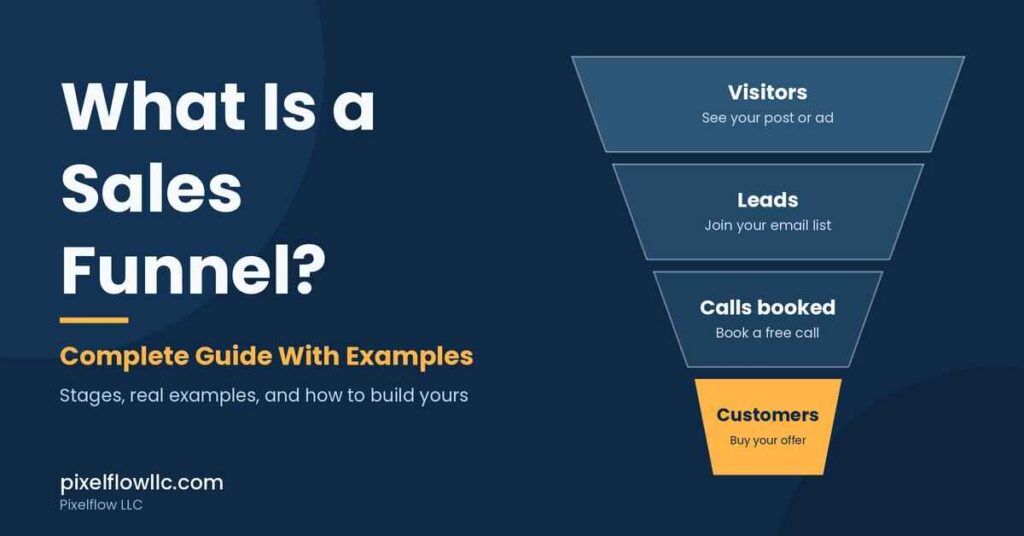
Stranger → Sees my post → Clicks link → Landing page → Signs up → Gets freebie → Receives emails → Books call → Becomes customer
Then ask at each step: What does this person need to know or feel to take the next step?
- At the landing page, they need to know what they’ll get and why it’s worth their email.
- At the emails, they need to trust you and see that you understand their problem.
- At the offer, they need to feel confident and clear about what happens next.
This map becomes your blueprint. It also shows you where people might get stuck.
Step 4: Create Your Lead Magnet
A lead magnet is the free thing you offer in exchange for an email address. It’s the front door of your funnel, so it needs to be good.
What makes a strong lead magnet
- Specific. It solves one small, real problem.
- Quick to consume. Five to fifteen minutes, not three hours.
- Related to your offer. If you sell bookkeeping, offer a tax prep checklist, not a recipe book.
- Easy to deliver. A PDF, short video, template, or mini email course.
Ideas by business type
- Coach: “5-day habit reset” email course
- Photographer: “How to prepare for your photo session” checklist
- Real estate agent: “First-time buyer’s checklist”
- Local service business: “Home maintenance calendar” or a free quote tool
- Consultant: A short audit template
A quick test: Would you give your own email address for it? If you’d hesitate, make it more specific or more useful.
Keep it short. A one-page checklist that people actually use beats a 50-page ebook that sits in a downloads folder.
Step 5: Build the Landing Page
This is the page where visitors decide whether to sign up. Its only job is to get that one action.
What goes on a good landing page
1. A clear headline. State the benefit plainly.
Example: “Get Your Free 7-Day Meal Plan for Busy Parents”
2. A short subheading. One sentence on what they’ll get and who it’s for.
3. Three or four benefit bullets. What will they learn or be able to do?
4. A simple form. Name and email. That’s usually enough. Every extra field costs you sign-ups.
5. A clear button. Use words that describe the result: “Send Me the Checklist” works better than “Submit.”
6. A touch of proof. A short testimonial, a result, or a line about your experience. If you’re just starting and have none, be honest about who you are and why you made the resource.
What to leave out
- Navigation menus
- Links that lead away from the page
- Long paragraphs about your life story
- Anything that doesn’t help the visitor decide
Think of the landing page as a conversation with one clear question: “Want this?” If it answers that question clearly, it’s doing its job.
Step 6: Set Up the Thank-You Page
Many beginners skip this, and it’s a missed opportunity.
After someone signs up, they land on a thank-you page. Use it to:
- Confirm what happens next. “Check your inbox. Your checklist is on its way.”
- Deliver the freebie if you can, in case the email gets delayed.
- Offer one small next step. Maybe a short video, or an invitation to book a call.
People are most engaged right after they take action, so don’t waste that moment.
Step 7: Write Your Email Follow-Up Sequence
This is where trust gets built, and where most sales actually happen. A lot of people sign up, forget about you, and only buy after hearing from you a few times.
A simple five-email sequence works well for most beginners.
Email 1: Deliver and welcome (send immediately)
Give them the freebie and say hello. Keep it warm and short.
Sample:
Subject: Your checklist is here
Hi [Name],
Thanks for grabbing the checklist. Here’s the link: [link].
A quick tip: start with item #3. It’s the one most people skip, and it makes the biggest difference.
Over the next few days, I’ll send you a couple of short emails with practical ideas. If you ever have a question, just hit reply. I read every message.
Talk soon,
[Your name]
Email 2: A useful tip or story (day 2)
Share something helpful that isn’t in the freebie. Show you know what you’re talking about.
Email 3: Answer a common worry (day 4)
What stops people from hiring or buying? Cost? Time? Fear it won’t work? Address it honestly.
Email 4: Show proof (day 6)
Share a real result, a customer story, or a before-and-after. If you’re new, share what you’ve learned or a small project you completed.
Email 5: Make the offer (day 8)
Invite them to take the next step. Be direct, but not pushy. Explain what happens, who it’s for, and who it’s not for.
Sample closing lines:
“If you’d like help applying this to your business, you can book a free 20-minute call here: [link]. No pressure, we’ll just see if I can help.”
Email writing tips
- Write like you talk. Read each email out loud before sending.
- One idea per email.
- One clear link or call to action.
- Short paragraphs, plain words.
- Skip the hype. People can smell it.
Step 8: Create Your Offer Page or Booking Page
At the end of the funnel, people need somewhere to go. What this page looks like depends on your goal.
If your goal is a booked call
Use a simple page with a calendar. Add a few lines on what the call covers, how long it lasts, and what they’ll walk away with. Add a short intake question or two so you can prepare.
If your goal is a product sale
Build a sales page that includes:
- A headline focused on the result
- The problem you solve
- What’s included
- Who it’s for (and not for)
- Proof or testimonials
- Price and a clear buy button
- A short FAQ addressing common doubts
- A refund policy, if you offer one
Be honest
Don’t invent scarcity, fake countdown timers, or exaggerated claims. They damage trust, and they can get you in legal trouble. If you share testimonials or earnings-type results, keep them truthful. The FTC publishes useful guidance in its endorsement guides FAQ.
Step 9: Connect Your Tools and Track Everything
Now you wire it all together. At minimum, you need:
- A page builder for your landing page and thank-you page
- An email tool to send your sequence automatically
- A contact system (CRM) to store leads and see where each one is. If that term is new, here’s what CRM software is.
- A calendar or payment tool, depending on your goal
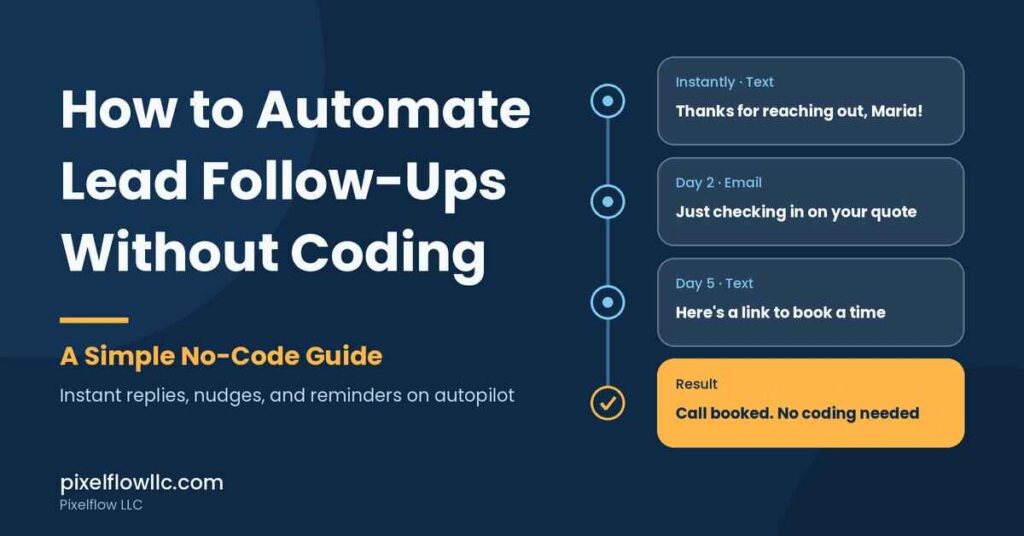
- Automation so emails send themselves. Our guide on what marketing automation is explains how this works.
Separate tools or all-in-one?
You can stitch these together from separate tools, and many people do. It’s flexible but can get fiddly, since each tool needs to talk to the others.
Others prefer an all-in-one platform where pages, forms, email, texting, calendar, CRM, and automation live under one roof. HubSpot, ActiveCampaign, ClickFunnels, Systeme.io, and GoHighLevel all sit somewhere in this space.
To compare, you can read our breakdowns of GoHighLevel vs ClickFunnels, GoHighLevel vs Systeme.io, GoHighLevel vs HubSpot, and GoHighLevel vs ActiveCampaign. If you want the full picture of one platform, including its downsides, here’s our GoHighLevel review, plus a look at its features, automation, and pricing. If you’d like to try before committing, our free trial guide explains what to expect.
A note from experience: don’t pick software first. Map your funnel on paper, then choose a tool that fits it. Not the other way around.
What to track
Set up basic tracking from day one:
- Visitors to your landing page
- Sign-ups (so you can calculate your conversion rate)
- Email open and click rates
- Calls booked or sales made
- Where each lead came from
You don’t need fancy dashboards. A simple spreadsheet or your CRM’s built-in reports will do.
Step 10: Send Traffic to Your Funnel
A funnel without visitors is like a shop on a street nobody walks down. Once it’s built, you need to point people toward it.
Choose one or two traffic sources to start:
- Content: Blog posts, YouTube, or social posts that answer your audience’s questions and link to your freebie
- Social media: A link in your bio and regular posts that mention your resource
- Search (SEO): Pages and articles that rank for what people are searching
- Referrals and partnerships: Ask happy customers or friendly businesses to share your freebie
- Paid ads: Fast, but best used after your funnel already converts. Start with a small budget.
If you want a deeper look at attracting the right people, our guide on what lead generation is covers it from the ground up.
Don’t try to be everywhere. Pick the place your audience already spends time and show up there consistently.
Step 11: Test Before You Launch
Before anyone else sees your funnel, walk through it yourself, like a stranger would.
Test checklist:
- Does the landing page load fast and look good on a phone?
- Does the form actually submit?
- Does the thank-you page appear?
- Does the welcome email arrive, and does the link work?
- Do all emails look right on mobile?
- Does your booking page or checkout work?
- Does a new lead show up in your contact system with the right tag?
Ask a friend to try it too. Fresh eyes spot problems you’ve gone blind to. Fix whatever feels confusing, then go live.
Step 12: Launch, Watch, and Improve
Give your funnel two to four weeks before judging it. Then look at your numbers.
Where to look first
- Low landing page sign-ups? Rework the headline, simplify the form, or make the freebie more appealing.
- Good sign-ups but low email opens? Test new subject lines.
- Good opens but few clicks? Make your calls to action clearer.
- Plenty of clicks but few bookings or sales? Look at your offer page or your follow-up timing.
Change one thing at a time
If you change five things at once, you’ll never know what helped. Tweak one element, wait, and compare.
Funnels are never “done.” Treat yours like a garden you tend a little every week.
A Simple Seven-Day Build Plan
If you want a schedule to follow, here’s one that works well for beginners:
- Day 1: Define your ideal customer and your goal.
- Day 2: Map the journey on paper and plan your lead magnet.
- Day 3: Create the lead magnet.
- Day 4: Build the landing page and thank-you page.
- Day 5: Write your five emails.
- Day 6: Connect your tools, add tracking, and test everything.
- Day 7: Launch and share it with your first audience.
It doesn’t need to be flawless. It needs to go live.
Common Mistakes When You Build a Sales Funnel
I’ve seen these over and over, so here’s what to watch for.
Building before planning
Jumping into software without a clear audience or offer leads to a pretty funnel nobody wants.
Making the freebie too broad
“Marketing tips” is vague. “5 Instagram captions that get replies” is specific. Specific wins.
Asking for too much, too soon
Don’t ask a stranger to spend $2,000 on the first click. Earn trust first.
Stuffing the page with options
More buttons and links mean fewer completed actions. One page, one goal.
Neglecting follow-up
Most of the value comes after the sign-up. If you don’t follow up, you waste the leads you worked hard to get.
Writing like a brochure
Corporate language puts people off. Write the way you’d talk to a customer across a table.
Skipping mobile checks
A lot of your visitors will arrive on phones. If your page is clumsy on a small screen, you’ll lose them.
Overcomplicating things
You don’t need ten pages, three upsells, and a chatbot on day one. Start with the basics.
Forgetting the legal basics
If you collect emails or send texts, get consent and include a clear way to unsubscribe. The FTC’s CAN-SPAM compliance guide is a good starting point. We’re not lawyers, so check with a professional about your specific situation.
Who Can Build a Funnel Like This?
Pretty much anyone who sells a product or service and wants more predictable leads:
- Small businesses can capture inquiries and book customers. See our small business page.
- Coaches and consultants can move people from a freebie to a discovery call. Here’s how it works for coaches.
- Agencies can build funnels for themselves and clients. Read more on our agency page.
- Real estate professionals can nurture buyers and sellers over time. See for real estate.
- Local service businesses can fill calendars with simple booking funnels. Read more for local businesses.
Frequently Asked Questions
How do I build a sales funnel with no experience?
Start simple: one freebie, one landing page, one thank-you page, and a short email sequence. Follow a step-by-step plan like the one above and improve it over time.
How long does it take to build a sales funnel?
A basic funnel can be built in a weekend. A more detailed one with multiple offers might take a few weeks. Don’t wait for perfect, since launching and learning beats endless planning.
How much does it cost to build a sales funnel?
It depends on your tools and whether you run ads. You can start with low-cost tools and organic traffic. Your biggest investment is usually time and clear thinking.
Do I need a website to build a sales funnel?
Not necessarily. You can use landing page tools or an all-in-one platform. A website helps with credibility and search traffic, but isn’t required to start.
How many emails should my funnel have?
Five to seven is a good starting point. Quality matters more than quantity, so every email should be useful.
What’s the best type of funnel for a beginner?
A lead generation funnel with a free resource, email follow-up, and a booking call or low-priced offer. It’s simple and works for many businesses.
Do I need paid ads?
No. You can drive traffic through content, social media, referrals, and search. Ads can speed things up once your funnel converts.
How do I know if my funnel is working?
Watch your sign-up rate, email engagement, and the number of calls booked or sales made. If these improve as you adjust things, you’re on the right track.
Can I build a funnel for a service business?
Yes. Service businesses often benefit the most, because a funnel builds trust and books conversations before you ever speak.
Final Thoughts: Start Small, Then Improve
So, how do you build a sales funnel from scratch? You choose a specific audience, make one helpful freebie, build a simple landing page, follow up with a few honest emails, and give people a clear next step. Then you watch what happens and improve it.
That’s the whole recipe. It’s not glamorous, but it works, and it works better the more you refine it. Don’t wait until you feel ready. Marcus didn’t. He built something simple, launched it, and learned from real people.
If you’re ready to keep going, here’s where I’d head next:
- Browse our sales funnel articles for more step-by-step guides.
- Learn how to fill the top of your funnel with our lead generation guides.
- Explore our marketing automation articles to automate your follow-up.
- Grab practical checklists and templates from our free resources.
Ready to build your first funnel with a clear plan? Visit Pixelflow LLC for tutorials, honest software reviews, and step-by-step guides made for beginners. Pick one goal, build one simple funnel, and launch it this week.
About the author: This article was written by the Pixelflow LLC team, an independent resource covering sales funnels, CRM software, lead generation, and marketing automation. Pixelflow LLC is not the official website of any software company mentioned. We review tools based on how they work in real business situations and disclose affiliate relationships openly.