How to automate lead follow-ups is one of those questions that sounds technical but really isn’t. You don’t need to write a single line of code. Modern tools let you build follow-up sequences by dragging boxes onto a screen, picking a trigger, and typing the message you want sent. Once it’s set up, every new lead gets a quick, friendly reply and a few well-timed nudges, whether you’re at your desk, on a job site, or asleep.
If you’ve ever lost a lead because you replied too late, or forgot to check back in, this guide is for you. I’ll show you exactly what to automate, what to leave to yourself, which messages to send and when, and how to set it all up in an afternoon.
Why Follow-Up Is Where Most Sales Are Won or Lost
Here’s something most business owners quietly admit: they’re good at getting leads, and bad at following up with them.
It’s not laziness. It’s life. You’re running the business, serving customers, answering calls, fixing problems. A new inquiry arrives at 4:45 p.m. on a busy Thursday, and you tell yourself you’ll reply in the morning. Then Friday happens. Then the weekend. By Monday, that lead has already talked to someone else.
Think about it from the other side. When you send an inquiry to a business, what do you do if you hear nothing for two days? You move on. You contact someone else. You’re not being rude. You just have a problem to solve and limited patience.
Your leads behave exactly the same way.
The good news is that follow-up is the most automatable part of sales. It’s repetitive, it follows patterns, and it doesn’t need your creativity every time. That makes it the perfect first thing to hand off to software.
A Short Story: The Contractor Who Called Back Too Late
Let’s say there’s a home remodeling contractor named Tomás. He’s honest, skilled, and busy. Most of his day is spent on job sites with sawdust on his boots and his phone in his truck.
A homeowner fills out his website form asking for a kitchen remodel quote. Tomás sees it that evening and decides to call the next day. But the next day, a pipe bursts at another job. He forgets. Two days later, he finally calls. The homeowner says, “Oh, we already hired someone. They called us right away.”
Tomás didn’t lose that job because his work was worse. He lost it because the other contractor replied faster.
Now imagine the same moment with a simple automation. The instant the homeowner submits the form, they get a text: “Hi Maria, this is Tomás from Rivera Remodeling. Thanks for reaching out about your kitchen. I’ll call you shortly, and here’s a quick link to book a time that works for you.” A few minutes later, an email arrives with photos of recent kitchen projects. Tomás’s phone buzzes with a notification so he can jump in personally when he has a free moment.
Maria feels heard within seconds. She books a time. Tomás gets the job.
Tomás is a made-up example, but you’ve probably lived some version of this story from one side or the other. That’s the power of automating the first reply: you stay in the race even when you can’t answer personally.
What Does “Automating Lead Follow-Ups” Actually Mean?
Let’s clear up what we’re talking about, because the word “automation” scares people into picturing robots and spam.
Automating lead follow-ups simply means setting up rules so your system sends the right message at the right time, based on what a lead does or doesn’t do.
For example:
- Someone fills out a form → they get an instant welcome message.
- Someone doesn’t reply in three days → they get a friendly check-in.
- Someone books a call → they get reminders so they actually show up.
- Someone attended but didn’t buy → they get a follow-up a few days later.
That’s it. You write the messages once, in your own voice. The system sends them at the right moments.
If you want the bigger picture on how this fits into your marketing, our beginner’s guide on what marketing automation is explains the foundation.
What “no coding” really means
Years ago, building this kind of thing meant hiring a developer. Today, most platforms use visual builders. You see a canvas, you click “add step,” and you choose from menus like:
- Trigger: What starts it? (A form submission, a tag, a booked appointment)
- Wait: How long should it pause? (10 minutes, 2 days)
- Condition: Should it check something? (Did they reply? Did they open the email?)
- Action: What should it do? (Send an email, send a text, notify you, create a task)
If you can build a playlist or set up an email filter, you can build this.
What to Automate (and What to Keep Human)
This is where experience matters, because automation is powerful, and overusing it makes your business feel cold.
Great things to automate
- The first reply. Speed matters more than perfection here.
- Confirmations and reminders. Appointments, calls, deadlines.
- Follow-up nudges. The “just checking in” messages after silence.
- Information delivery. Sending a freebie, brochure, or pricing guide.
- Tagging and sorting. Labeling leads by interest or source.
- Internal alerts. Notifying you or your team when a lead takes action.
- Review requests. Asking happy customers for feedback after the job is done.
Things to keep personal
- Custom quotes and pricing discussions.
- Complaints or sensitive issues.
- Complex questions that need real thought.
- Warm conversations where a lead is actively chatting with you.
A good rule: automate the first move and the reminders, then step in personally as soon as a real conversation starts. Automation opens the door. You walk through it.
The Building Blocks You’ll Need
Before the workflows, here’s the toolkit you need to have in place.
1. A contact system (CRM). Somewhere that stores your leads and their details. If that’s unfamiliar, our guide on what CRM software is explains it from scratch.
2. A way to capture leads. Forms or booking pages that feed straight into your contact system. If you’re still working on attracting people, our guide on what lead generation is is a good companion read.
3. Email, and ideally text messaging. Texts get noticed quickly, so having both is a big advantage for follow-ups.
4. An automation builder. The visual tool where you create “if this, then that” workflows.
5. A calendar or booking tool. So leads can schedule themselves without back-and-forth.
You can assemble these from separate tools and connect them, or use an all-in-one platform that includes them all. We’ll talk about that choice shortly.
Seven Follow-Up Workflows You Can Build Without Code
Here are the workflows I’d set up first, in roughly this order. Each includes what triggers it and a sample message you can adapt.
Workflow 1: The instant reply
Trigger: A new lead submits a form or sends a message.
Actions: Send a text and an email immediately, tag the lead, notify you.
Sample text:
“Hi [Name], thanks for reaching out to [Business]! I got your message and I’ll be in touch shortly. If it’s easier, you can pick a time here: [link].”
Sample email subject: “Got your message, [Name]”
Why it works: The lead gets proof within seconds that a real business is on the other end.
Workflow 2: The missed-call text-back
Trigger: You miss a call from a new number.
Action: Send a text right away.
Sample text:
“Hi, sorry I missed your call! I’m with a customer right now. What can I help you with? I’ll get back to you as soon as I can.”
Why it works: People who call and get no answer usually try someone else. This keeps them from slipping away.
Workflow 3: The no-reply nudge
Trigger: A lead hasn’t responded for 2 to 3 days.
Actions: Send a short, friendly check-in. If still silent after another 3 to 4 days, send a final message.
Sample message:
“Hi [Name], just following up on your inquiry about [topic]. Still interested? Happy to answer any questions. No pressure either way!”
Final message:
“Hi [Name], I don’t want to keep bugging you, so this will be my last note. If the timing’s off, no worries. You’re welcome to reach out whenever you’re ready.”
Why it works: Most people aren’t saying no. They’re just busy. A polite nudge often brings them back.
Workflow 4: The appointment reminder
Trigger: A call or appointment is booked.
Actions: Send a confirmation immediately, a reminder the day before, and another a couple of hours before.
Sample reminder:
“Hi [Name], a quick reminder about our call tomorrow at [time]. Here’s the link: [link]. Need to reschedule? Just reply to this message.”
Why it works: Fewer no-shows means more conversations and less wasted time.
Workflow 5: The no-show recovery
Trigger: A lead misses their appointment.
Action: Send a message within an hour.
Sample message:
“Hi [Name], looks like we missed each other today. No worries, things come up! Here’s a link to pick a new time: [link].”
Why it works: Life gets in the way. A friendly, no-guilt message often rescues the booking.
Workflow 6: The post-quote follow-up
Trigger: A quote or proposal is sent.
Actions: Follow up after 2 days with a check-in, then again after 5 days with an offer to answer questions.
Sample message:
“Hi [Name], I wanted to make sure the quote came through okay. Any questions I can answer, or anything you’d like me to adjust?”
Why it works: The period right after a quote is when most deals stall quietly. A gentle check-in keeps the conversation alive.
Workflow 7: The review request
Trigger: A job is marked complete or a purchase is made.
Actions: Send a thank-you, then ask for a review a few days later.
Sample message:
“Hi [Name], it was a pleasure working with you! If you have a minute, would you mind leaving us a quick review? It really helps small businesses like ours. [link]”
Why it works: Reviews build trust with future leads, and people are most willing to share right after a good experience.
A Simple Follow-Up Timing Guide
Wondering how often to message? Here’s a rhythm that works for many businesses. Adjust it to fit yours.
| When | What to send |
|---|---|
| Instantly | Welcome text and email |
| Day 1 | A helpful resource or answer to a common question |
| Day 3 | A friendly check-in if no reply |
| Day 5 | A short story or proof (a testimonial, a result) |
| Day 7 | A clear invitation to take the next step |
| Day 14 | A final, low-pressure note |
For leads who don’t respond at all, you can move them to a slower “long-term” list and send occasional useful content, perhaps once or twice a month. Don’t keep pestering people who’ve gone quiet. Respect their space.
How to Set It All Up: A Step-by-Step Plan
Here’s the practical path, from nothing to a working system.
Step 1: List the moments where leads go cold
Grab a notepad and write down every place a lead might fall through the cracks. Common ones: after a form submission, after a missed call, after a quote, after a no-show. Those are your automation targets.
Step 2: Write your messages first
Before opening any software, write the texts and emails in a document. Use your own voice. Keep them short, warm, and specific. If a message sounds like it came from a corporate brochure, rewrite it.
Step 3: Choose your tool
You have two main routes:
Route A: Separate tools connected together. For example, a form builder, an email platform, a calendar, and a connector service that links them. This can be affordable and flexible, but each piece needs to be linked, and more connections means more places for things to break.
Route B: An all-in-one platform. Contacts, forms, email, text messaging, calendar, and automation in one place. It’s usually simpler to manage because everything talks to everything else by default.
Options in this space include HubSpot, ActiveCampaign, ClickFunnels, Systeme.io, and GoHighLevel. We’ve written honest comparisons to help you decide: GoHighLevel vs HubSpot, GoHighLevel vs ActiveCampaign, GoHighLevel vs ClickFunnels, and GoHighLevel vs Systeme.io.
If you’d like to see what a visual workflow builder looks like in practice, our walkthrough of GoHighLevel automation shows the idea. You can also read our full GoHighLevel review, including the downsides, see its CRM features, browse the wider feature set, look at integrations, and check the pricing. If you’d like to try before you commit, our free trial guide explains what to expect.
One honest note: no tool will fix unclear messaging or a weak offer. Pick the software that fits your process, not the other way around.
Step 4: Build your first workflow
Start with the instant reply. In most visual builders, the steps look like this:
- Create a new workflow.
- Choose the trigger: “Form submitted.”
- Add an action: “Send SMS,” then paste your text.
- Add another action: “Send email,” then paste your email.
- Add an action: “Notify me.”
- Add an action: “Add tag: New Lead.”
- Save and turn it on.
That’s a complete, working follow-up. It might take you thirty minutes the first time.
Step 5: Test it yourself
Fill out your own form using your own phone and email. Check that:
- The text and email arrive quickly.
- Your name and details appear correctly.
- All links work.
- The messages look good on a phone.
- The lead shows up in your contact system with the right tag.
Fix anything that looks off before real leads see it.
Step 6: Add the next workflow
Once the first one is running, add the no-reply nudge. Then appointment reminders. Then the rest. Build one at a time, and let each one run for a week or two before adding another.
Step 7: Add a “stop” rule
This one matters. Make sure that when a lead replies, books, or buys, the automated sequence stops. Nothing feels worse than getting a “just checking in!” message right after you’ve already been in contact. Most platforms let you add a condition like “If lead replies, exit workflow.”
Make Automated Messages Sound Like a Person
This is the part that separates good automation from the kind everyone ignores. A few habits help a lot:
- Write like you talk. Use contractions. Keep sentences short.
- Use their name, but don’t rely on it. A name alone doesn’t make a message personal.
- Be specific. “Thanks for asking about your kitchen remodel” beats “Thanks for your inquiry.”
- Ask one simple question. It’s easier to reply to one question than a list.
- Keep texts brief. Two or three sentences is plenty.
- Sign off as yourself. Use a real name, not “The Team.”
- Make it easy to reply. Invite questions directly.
- Read it out loud. If it sounds stiff, loosen it up.
Who Benefits Most From Automated Follow-Ups?
Almost any business that gets inquiries, but especially:
- Small businesses that can’t afford to miss a lead. See our small business page.
- Coaches and consultants moving people from a free call to a paid program. Here’s how it applies for coaches.
- Marketing agencies managing follow-ups across many clients. Our agency page has more.
- Real estate professionals nurturing buyers and sellers over long timelines. See for real estate.
- Local service businesses like plumbers, salons, clinics, and gyms. Read more for local businesses.
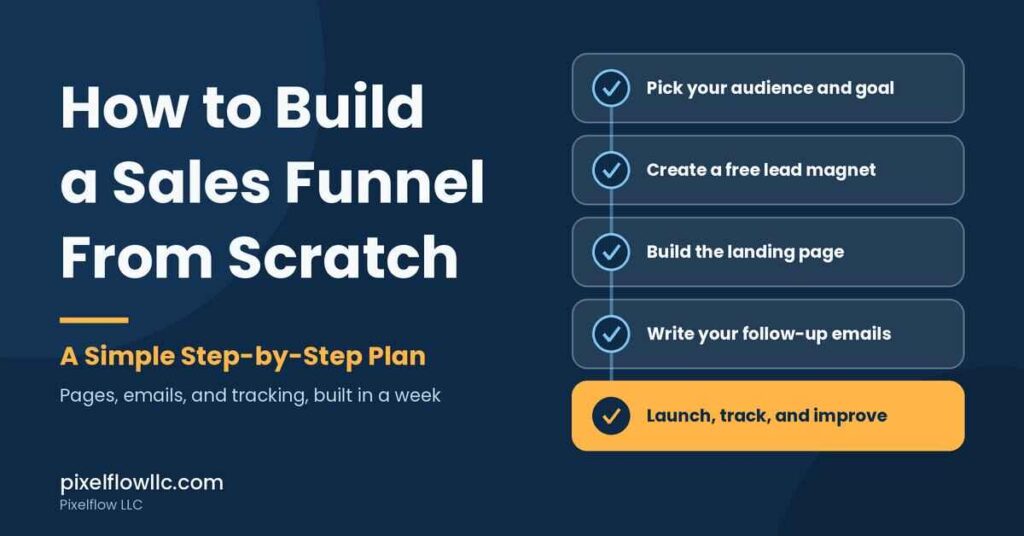
If your leads come through a funnel, automated follow-up is the engine that keeps it moving. Our guides on what a sales funnel is and how to build a sales funnel from scratch show how the pieces fit together.
Common Mistakes (And How to Avoid Them)
Here’s what I see go wrong most often.
Sending too many messages too fast
Six messages in two days will make anyone tune out. Space them out, and make each one worth reading.
Never turning the sequence off
If someone has replied or booked, the automation must stop. Always add an exit rule.
Writing in corporate language
“We value your inquiry and will respond at our earliest convenience” tells the lead nothing. Say something human instead.
Automating without testing
A broken link or a missing name field (“Hi ,”) looks careless. Test everything before it goes live.
Forgetting about mobile
Most people read texts and emails on their phones. If your message is long or cluttered on a small screen, it won’t get read.
Not following up personally
Automation handles the first touches. When a lead replies, you should respond personally and quickly. Set up notifications so you never miss it.
Ignoring consent rules
This is a big one for trust and legality. If you send emails, follow the rules, including honest sender information and an easy unsubscribe link. The FTC’s CAN-SPAM compliance guide is a solid starting point. Text messaging has its own consent requirements that are often stricter, so make sure people have agreed to receive texts from you, and include a way to opt out. Laws vary by country and state, and we’re not lawyers, so check with a qualified professional about your situation.
Making it all about selling
If every message says “buy now,” people stop reading. Mix in useful tips, answers to common questions, and genuine helpfulness.
Setting it and forgetting it
Check in every few weeks. Which messages get replies? Which get ignored? Adjust accordingly.
How to Tell If It’s Working
You don’t need a complicated dashboard. Watch these numbers:
- Response time: How quickly does a new lead hear from you? It should be seconds or minutes, not hours.
- Reply rate: How many leads respond to your messages?
- Booking rate: Of your leads, how many book a call or appointment?
- No-show rate: Is it dropping since you added reminders?
- Lead-to-customer rate: Are more leads becoming paying customers?
- Unsubscribe rate: If it’s climbing, you may be sending too much or the wrong content.
Look at these every couple of weeks. If something isn’t improving, change one thing at a time, like a subject line, a send time, or the wording of a call to action, so you can see what made the difference.
Frequently Asked Questions
How do I automate lead follow-ups without coding?
Use a platform with a visual workflow builder. You choose a trigger (like a form submission), add steps (send a text, wait two days, send an email), and turn it on. No programming required.
What’s the best time to follow up with a new lead?
As quickly as possible. An instant automatic reply keeps the lead engaged while you prepare a personal response.
How many follow-ups should I send?
A common pattern is 4 to 6 messages over about two weeks. Then, if there’s no response, move the lead to a slower list with occasional helpful content.
Will automated follow-ups feel spammy?
Not if you write them like a real person, space them out, and stop them when someone replies. Spammy automation usually means too many messages and no personality.
Should I use texts or emails?
Both work well. Texts are noticed quickly, and emails are better for longer information. Many businesses use a mix. Just be sure you have permission to text people.
Can I automate follow-ups for free?
Some tools offer free plans with limited features. Free options can work for a very small setup, but check limits on contacts, messages, and automations.
How long does it take to set up?
A basic instant-reply workflow can be live in under an hour. A full set of follow-ups usually takes a day or two to build and test.
Do I still need to follow up personally?
Yes. Automation handles the early touches and reminders. When someone replies or shows strong interest, jump in personally. That’s when relationships are built.
Which businesses benefit most?
Any business that gets inquiries, especially those with busy owners and a high cost per lead, such as service businesses, coaches, agencies, and real estate professionals.
Final Thoughts: Follow Up Like You Mean It, Even When You’re Busy
So, how do you automate lead follow-ups without coding? You pick a simple visual tool, write a few warm messages in your own voice, set up the triggers, and let the system handle the timing. You stay in the conversation even when you can’t be at your phone, and you step in personally the moment a lead is ready to talk.
You don’t have to build everything today. Start with the instant reply. It’s the single highest-impact workflow for most businesses, and it takes less than an hour. Then add the nudges and reminders one at a time.
Tomás could have kept losing jobs to faster competitors. Instead, he let a simple system answer first and kept his focus on the work he does best. You can do the same.
If you’re ready to keep learning, here’s where I’d go next:
- Browse our marketing automation articles for more step-by-step guides.
- Learn how to attract the right people with our lead generation guides.
- Turn those leads into customers with our sales funnel articles.
- Grab practical checklists and templates from our free resources.
Ready to stop losing leads to slow follow-up? Visit Pixelflow LLC for tutorials, honest software reviews, and step-by-step guides made for beginners. Start with one simple instant-reply workflow this week, and build from there.
About the author: This article was written by the Pixelflow LLC team, an independent resource covering marketing automation, CRM software, lead generation, and sales funnels. Pixelflow LLC is not the official website of any software company mentioned. We review tools based on how they work in real business situations and disclose affiliate relationships openly.